建立你的第一個指令
使用 TypeScript 在 Pumpkin 中註冊和處理自訂指令,可以獲得強類型且清晰的程式碼結構。
1. 快速範例
下面是一個完整的 TypeScript 插件檔案(src/index.ts),它會註冊一個帶權限檢查的 /hello 指令,並向玩家傳送回應。
typescript
import { Plugin, registerPlugin } from "@pumpkinmc/pumpkin-api-ts";
import { PluginMetadata } from "pumpkin:plugin/metadata@0.1.0";
import { Context } from "pumpkin:plugin/context@0.1.0";
import { Command } from "pumpkin:plugin/command@0.1.0";
import { Permission } from "pumpkin:plugin/permission@0.1.0";
import { TextComponent } from "pumpkin:plugin/text@0.1.0";

class HelloPlugin extends Plugin {
  metadata(): PluginMetadata {
    return {
      name: "my_ts_plugin",
      version: "0.1.0",
      authors: ["Developer"],
      description: "My first Pumpkin TypeScript plugin",
      dependencies: [],
      permissions: [],
    };
  }

  onLoad(ctx: Context): void {
    super.onLoad(ctx);

    // 1. 註冊權限節點
    const permission: Permission = {
      node: "my_ts_plugin:hello",
      description: "Allows executing the /hello command",
      default: { tag: "allow" },
      children: [],
    };
    ctx.registerPermission(permission);

    // 2. 建構帶別名的指令樹
    const cmd = new Command(["hello", "hi"], "Greets the player");

    // 3. 註冊指令及其處理器和權限
    this.registerCommand(
      ctx,
      cmd,
      (sender, _server, _args) => {
        sender.sendMessage(TextComponent.text("Hello from TypeScript Plugin!"));
        return 1;
      },
      "my_ts_plugin:hello",
    );
  }
}

registerPlugin(new HelloPlugin());

export * from "@pumpkinmc/pumpkin-api-ts";
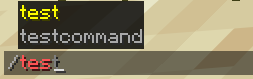
2. 遊戲內預覽
指令註冊後,Minecraft 客戶端會自動為其提供自動自動完成、語法驗證和顏色高亮:
3. 工作原理
分步解析
步驟 1:定義權限節點
Pumpkin 中的指令需要權限節點。使用 default: { tag: "allow" } 註冊,預設允許所有玩家執行:
typescript
const permission: Permission = {
  node: "my_ts_plugin:hello",
  description: "Allows executing the /hello command",
  default: { tag: "allow" },
  children: [],
};
ctx.registerPermission(permission);
步驟 2:構建指令樹
使用主名稱、別名和描述實例化一個 Command:
typescript
const cmd = new Command(["hello", "hi"], "Greets the player");步驟 3:註冊指令並處理執行
將指令樹和權限節點傳給 this.registerCommand(...),成功執行時返回 1:
typescript
this.registerCommand(
  ctx,
  cmd,
  (sender, server, args) => {
    sender.sendMessage(TextComponent.text("Hello from TypeScript Plugin!"));
    return 1;
  },
  "my_ts_plugin:hello",
);